




Как добавить закладки в документ Word на Java
Закладка определяет место или участок текста в документе, к которому можно обратиться позднее. В этой статье я расскажу, как добавить закладки в абзацы или выделенный диапазон текста в существующем документе Word, а также как удалить закладку по ее индексу с помощью Free Spire.Doc for Java.
- Добавление закладки к определенному абзацу в Java
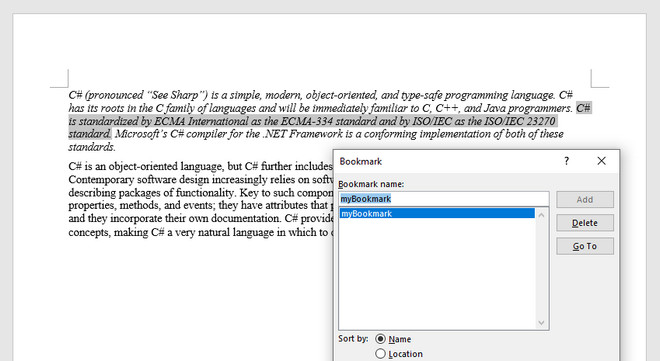
- Добавление закладки в выделенный текст в Java
Установка Spire.Doc.jar
Если вы создали Maven-проект, вы можете легко импортировать jar в свое приложение, используя следующие конфигурации. Для проектов, не использующих Maven, загрузите jar-файл по этой ссылке и добавьте его в качестве зависимости в свое приложение.

Добавление закладки к определенному абзацу в Java
import com.spire.doc.*;
import com.spire.doc.documents.Paragraph;
public class AddBookmarkToParagraph {
public static void main(String[] args) {
//Create a Document object
Document doc = new Document();
//Load a sample Word file
doc.loadFromFile("C:\Users\Administrator\Desktop\sample.docx");
//Get the second paragraph
Paragraph paragraph = doc.getSections().get(0).getParagraphs().get(1);
//Create a bookmark start
BookmarkStart start = paragraph.appendBookmarkStart("myBookmark");
//Insert it at the beginning of the paragraph
paragraph.getItems().insert(0,start);
//Append a bookmark end at the end of the paragraph
paragraph.appendBookmarkEnd("myBookmark");
//save the file
doc.saveToFile("output/AddBookmarkToParagraph.docx", FileFormat.Docx_2013);
}
} import com.spire.doc.BookmarkEnd; import com.spire.doc.BookmarkStart; import com.spire.doc.Document; import com.spire.doc.FileFormat; import com.spire.doc.documents.Paragraph; import com.spire.doc.documents.TextSelection; public class AddBookmarkToSelectedRangeOfText { public static void main(String[] args) { //Create a Document object Document doc = new Document(); //Load a sample Word file doc.loadFromFile("C:\Users\Administrator\Desktop\sample.docx"); //String to find String stringToFind = «C# is standardized by ECMA International as the ECMA-334 standard and by ISO/IEC as the ISO/IEC 23270 standard.»; //Find the selected text from the document TextSelection[] finds = doc.findAllString(stringToFind, false, true); TextSelection specificText = finds[0]; //Find the paragraph where the text is located Paragraph para = specificText.getAsOneRange().getOwnerParagraph(); //Get the index of the text in the paragraph int index = para.getChildObjects().indexOf(specificText.getAsOneRange()); //Create a bookmark start BookmarkStart start = para.appendBookmarkStart("myBookmark"); //Insert the bookmark start at the index position para.getChildObjects().insert(index, start); //Create a bookmark end BookmarkEnd end = para.appendBookmarkEnd("myBookmark"); //Insert the bookmark end at the end of the selected text para.getChildObjects().insert(index + 2, end); //Save the document to another file doc.saveToFile("output/AddBookmarkToSelectedText.docx", FileFormat.Docx_2013); } }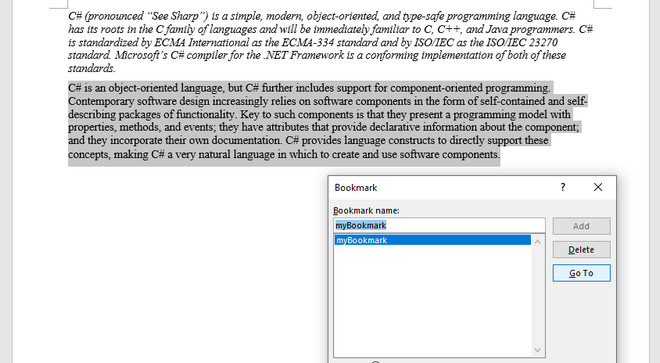
Добавление закладки в выделенный текст в Java